
Technology Made Understandable.
Make everyday technology easier to understand.
NoSavvy helps people make sense of their devices and know what to do when something goes wrong.
Our first product, NoSavvy Connect, walks you through a problem with clear steps and illustrations. You can go at your own pace or get help from someone you trust. Start with home Wi-Fi.
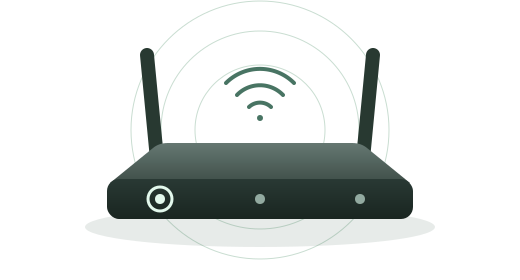
Home Wi-Fi · Power
Check the power light
Look for the light labeled Power or marked with a power symbol. Does it look the way it normally does when the router is on?
- It looks normal
- It’s off, looks unusual, or I can’t tell
Meet NoSavvy Connect
A clearer next step.
When your Wi-Fi isn’t working, it can be hard to know where to start. Connect shows you what to look for and asks what you see. Your answer guides the next step.
How it works
Start with one check
An illustration shows where to look, and a short instruction explains what to do.
Tell Connect what you see
Choose the answer that best matches what happened. Connect guides you to the next check.
Invite someone you trust
If you get stuck, a friend or family member can follow your progress and leave a note to help you decide what to do next.
Limited home Wi-Fi pilot
Interested in trying NoSavvy Connect?
Helping a family member or friend? See what they’ve already tried and leave a note to help them take the next step.
Pilot registration is not yet open
You can use the Wi-Fi guide today. We’ll post signup details here when pilot registration opens.
Frequently asked questions
A few things to know.
What can I use NoSavvy Connect for?
The first pilot guides you through checks when your home Wi-Fi isn’t working. It uses your answers to guide the walkthrough.
Do I need someone to help me?
You can start on your own. If you want help, you can invite someone you trust to follow the same walkthrough.
What can an invited helper see?
They can see your walkthrough progress, answers, and the shared helper note. You can remove their access. They cannot see your screen or control your device.
Can I join the pilot now?
The pilot has limited spots. You can use the Wi-Fi guide today. If the interest form is open, you can ask to hear about pilot spots.